
Beyond cards: how tap-to-pay technology works with wearables and smartphones
By Abby Quillen
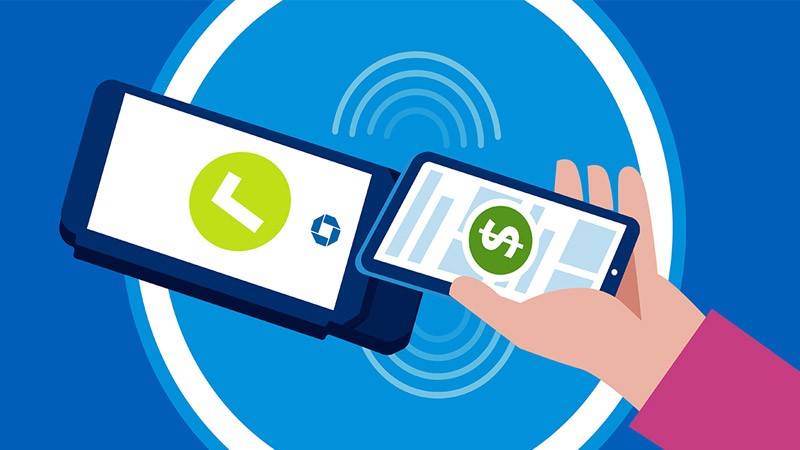
Tap-to-pay technology enables convenient, fast and secure contactless payments using smartphones, smartwatches and other wearable payment devices.
While tap-to-pay smartphone and wearable payments still make up a small amount (PDF) of total contactless payments, they’re both experiencing strong growth year over year.
If you’re considering offering your customers the option to pay with a tap using a smartphone or wearable, this guide will help you understand how the technology works and the benefits it offers for your customers.
What is Tap-to-Pay Technology?
With tap-to-pay technology, your customers can tap or hover a contactless credit card or compatible device near a terminal or machine rather than inserting their card. Devices that support tap to pay include many:
- iPhones
- Android smartphones
- Smartwatches
- Fitness trackers
- Tablets
Increasingly, it’s not just credit card terminals that accept tap-to-pay payments. Many point-of-sale systems, smartphones and other payment interfaces can also allow customers to pay with a tap.
To determine if a store, kiosk or other payment terminal accepts contactless payments, customers can look for the universal contactless payment symbol: four vertical, curved lines (a Wi-Fi symbol on its side). The same symbol appears on cards and wearables enabled with tap-to-pay technology.
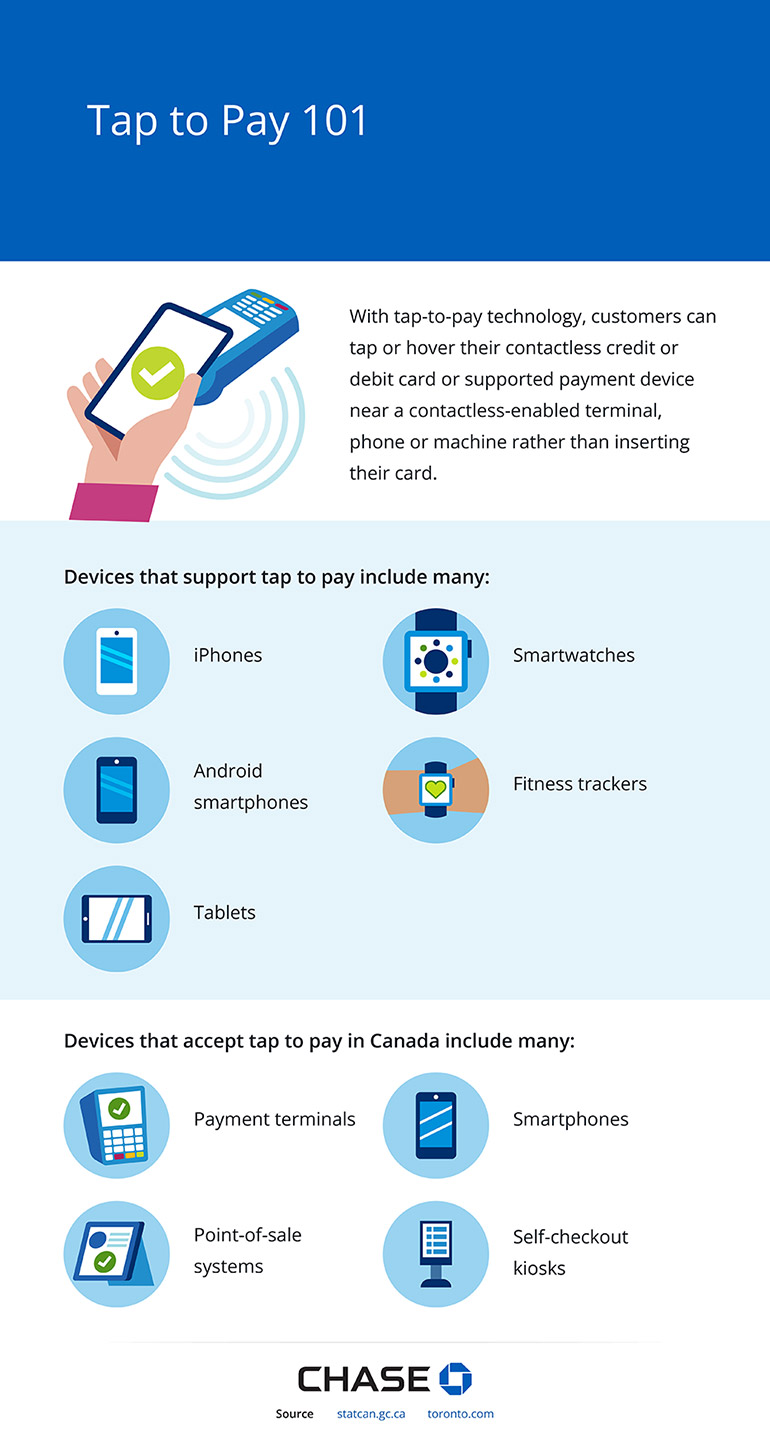
With tap-to-pay technology, customers can tap or hover their contactless credit or debit card or supported payment device near a contactless-enabled terminal, phone or machine rather than inserting their card.
Devices that support tap to pay include many:
- iPhones
- Android smartphones
- Tablets
- Smartwatches
- Fitness trackers
Devices that accept tap to pay in Canada include many:
- Payment terminals
- Point-of-sale systems
- Self-checkout kiosks
- Smartphones
The Technology Behind Tap to Pay
As a merchant, you may have questions about tap to pay. How does it work? What is NFC and contactless payment? Before you start accepting it, it’s helpful to understand the basics of how these technologies work.
Near-Field Communication (NFC)
Most tap-to-pay payments use NFC, a short-range wireless technology. It’s a subset of radio-frequency identification (RFID), which means it uses radio waves to transmit and receive data. NFC allows devices to communicate with each other from a close distance.
Contactless credit cards don’t have a power source, so they use passive NFC technology. In other words, they can’t receive information and only transmit data when they’re near a reader.
How does phone tap to pay work in contrast? Smartphones and many wearable devices use active NFC technology. That means both the device and the reader generate an electromagnetic field and exchange information when they’re near each other. By using active NFC, powered payment devices offer more advanced security features.
Security Features
While some customers may be hesitant to store credit card data on their phone or use mobile devices for purchases, paying with a tap is actually more secure than many other payment methods because the technology incorporates the following advanced security features:
Dynamic cryptograms and EMV chip technology
Payment-enabled smartphones and wearable devices use a tamper-resistant chip within the device to generate dynamic cryptograms, encrypted digital codes that change with every transaction. Because they transfer only this unique code, not your account number, they keep your data safer than some other payment methods. Similarly, the EMV chip in contactless cards generates dynamic cryptograms to protect sensitive data during tap-to-pay card transactions.
Advanced authentication methods
Before a tap-to-pay phone or wearable transaction, both devices authenticate each other to ensure they’re communicating only with verified devices. Data remains unreadable to unauthorized devices.
Spending limits
Since contactless payments don’t require a PIN, the card companies set limits on transactions to help lower customers’ risk of fraud and theft. If a payment exceeds the specific amount set by the card company, the cardholder must enter a PIN to verify their identity.
How Tap to Pay Works with Smartphones and Wearables
Now that you understand the technology behind tapping to pay, here’s how the technology works with compatible mobile devices, including wearables. But first, let’s explore which devices are enabled for tap to pay.
Devices Enabled for Tap to Pay
To pay with a tap on either a phone or wearable device, customers must have a smartphone with NFC capability and a payment app linked to their bank account. Smartphones and wearables must run a compatible operating system (OS).
Setting Up Tap to Pay on Devices
Once customers determine their devices are compatible, they can follow these steps to set them up for tap to pay.
- Set up a mobile wallet. Download and/or configure a payment app or mobile wallet, such as Apple Pay® or Google Wallet™, on their smartphone.
- Connect their wearable device to the payment app. Download and configure the app on their wearable using the same credentials they used on their phone.
- Add payment methods. Enter and verify their credit or debit card numbers in the payment app and follow the bank’s verification steps to link their bank accounts.
- Sync cards to their wearable. Follow the prompts to add the cards to their connected wearable device. They may need to provide additional verification at this point.
- Set up a screen lock. Set up a PIN, pattern or password screen lock on their wearable, a requirement to use it for payments.
Payment Process Flow
Once your customers have their devices set up, they’re ready to pay with a tap using a smartphone or wearable device. Here’s how the payment processing flow works for tap-to-pay wearable and smartphone payments:
- The customer initiates payment by opening their mobile wallet on their phone or wearable device and tapping or holding it near a payment terminal or card reader.
- The device and terminal use NFC to communicate with each other. The device sends a token and unique dynamic cryptogram to the payment reader.
- The customer authenticates the payment with the click of a button or by using their PIN or password.
- The terminal receives the token and cryptogram and sends them to the acquirer bank (usually the merchant’s payment processing partner).
- The acquirer bank forwards the cryptogram and token to the payment network, for example, Visa®, Mastercard® or Interac®.
- The payment network validates the token and cryptogram and maps it back to the original card number.
- The payment network passes the information to the issuer bank (the customer’s bank) for approval.
- The issuer bank sends authorization back to the terminal. Both the terminal and the customer’s device show confirmation that the payment was approved.
- The customer’s bank prepares the funds for settlement through the payment network.
- The payment network forwards the funds to the merchant’s bank.
- After deducting processing fees, the merchant’s bank deposits the funds into the merchant’s account, usually within one to three business days.
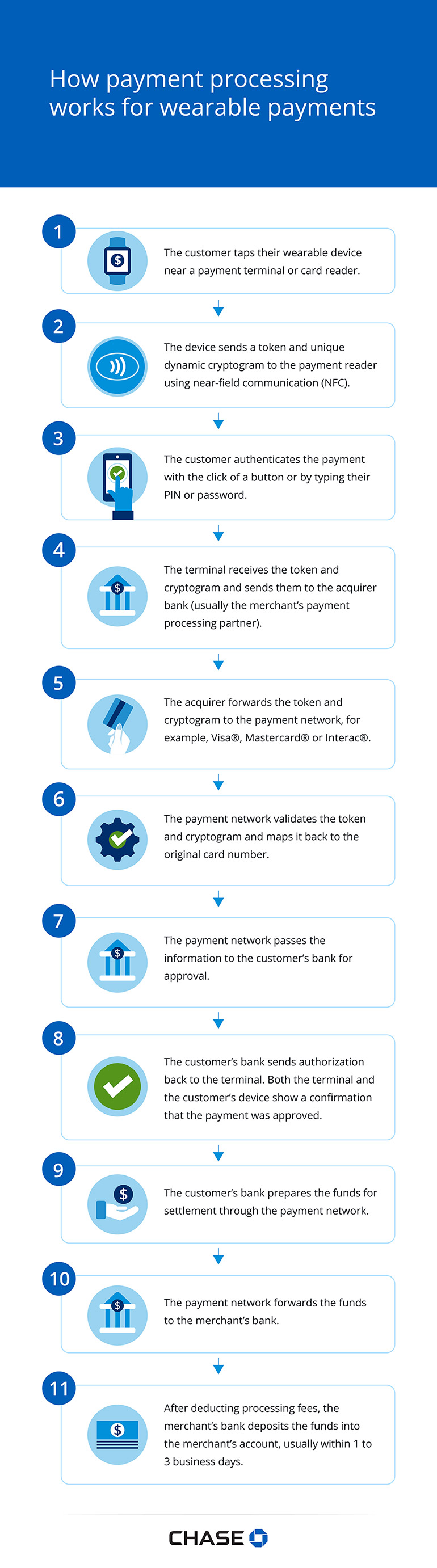
- The customer taps their wearable device near a payment terminal or card reader.
- The device sends a token and unique dynamic cryptogram to the payment reader using near-field communication (NFC).
- The customer authenticates the payment with the click of a button or by typing their PIN or password.
- The terminal receives the token and cryptogram and sends them to the acquirer bank (usually the merchant’s payment processing partner).
- The acquirer forwards the token and cryptogram to the payment network, for example, Visa®, Mastercard® or Interac®.
- The payment network validates the token and cryptogram and maps it back to the original card number.
- The payment network passes the information to the customer’s bank for approval.
- The customer’s bank sends authorization back to the terminal. Both the terminal and the customer’s device show a confirmation that the payment was approved.
- The customer’s bank prepares the funds for settlement through the payment network.
- The payment network forwards the funds to the merchant’s bank.
- After deducting processing fees, the merchant’s bank deposits the funds into the merchant’s account, usually within 1 to 3 business days.
Benefits of Offering Tap to Pay with Wearables and Smartphones
More than 84% of Canadians own a smartphone, and 40% use wearable devices. With so many Canadians already familiar with these multipurpose digital tools, they offer the following benefits for payments:
Convenience and speed at checkout
Customers can stop digging for cards or cash and simply tap and go using the devices they carry with them anyway. Customers and merchants benefit from faster-moving lines, especially during busy hours.
Enhanced security compared to traditional card swiping
Customers lower their risk of physical theft when they don’t need to carry cash or cards. Plus, since smartphones and wearables require authentication with a PIN, password or biometric marker (such as a fingerprint), thieves can’t easily access accounts even if they have a stolen device.
Mobile wallets also use tokenization to keep card numbers hidden on devices. That means instead of storing sensitive card numbers, the mobile wallet substitutes numbers with randomized tokens that can’t be identified with the customer. This measure keeps payments safe from credit card fraud, such as skimming or shimming, where thieves attach a device to a legitimate card reader to record, store and clone physical card information.
Contactless and hygienic payment option
Paying with a tap is a no-touch way to pay, which is especially appealing to many customers during cold and flu season. Customers don’t need to hand over their card or device to a cashier to complete a payment. And for smaller purchases (typically $250 or less), they don’t even need to enter a PIN on a terminal.
Increased acceptance by merchants and retailers
Around the world, more than three quarters (78%) of point-of-sale (POS) terminals deployed this year support NFC, according to Mordor Intelligence. Plus, many Canadian retailers are already accepting contactless smartphone and wearable payments.
According to the 2025 State of Canadian Payments, 38% of businesses offered tap-to-pay-on-smartphone payments, and an additional 31% wanted to offer them. At the same time, 28% of businesses offered wearable payments, and 39% desired to offer them.
Boost Your Business by Adopting Tap to Pay
Offering tap to pay helps ensure you stay current with how your customers want to pay, so you never miss a sale.
With contactless payment use on the rise (PDF), now is a great time for your business to explore tap-to-pay options for increased convenience and security. To learn more about payments, visit our payment solutions or contact us for help choosing the best payment solutions for your business.